TL;DR
- Pending = You finished the offer, now waiting for a check/review (this is normal)
- On Hold = Needs extra review by the platform or offer partner (takes longer, but doesn’t mean you did something wrong)
- Not Credited = No record found yet — either still being processed or the link that proves you started from the app didn’t work
- Three situations: (A) Not showing anywhere = link probably broke, (B) Shows Pending on the offer page but not in your app = normal waiting period, (C) Shows Credited on offer page but missing in your app = the platform is still processing it
- Always check the offer partner page first before asking for help — it tells you where the holdup is
- One safety rule: Use normal internet (no VPN or tools that hide your location), one account only, no unofficial app versions or tricks
- Your country affects what offers you see and how fast checks happen (some regions get more offers and faster processing)
- Good records = faster help: Save the offer name, screenshots of what you completed, and any confirmation emails
- Most delays are timing, not scams — the system has checks to prevent fraud, which means waiting is normal
- Scam generators and reward hacks are never real — if something promises instant points or bypasses, it’s fake
Quick Words You’ll See (60 Seconds)
Offer / Task = The thing you do to earn points (download a game, reach a level, make a purchase, take a survey, etc.)
Offer partner (offerwall) = The company that posted the offer and tracks whether you completed it (this is the page you click through to see available offers)
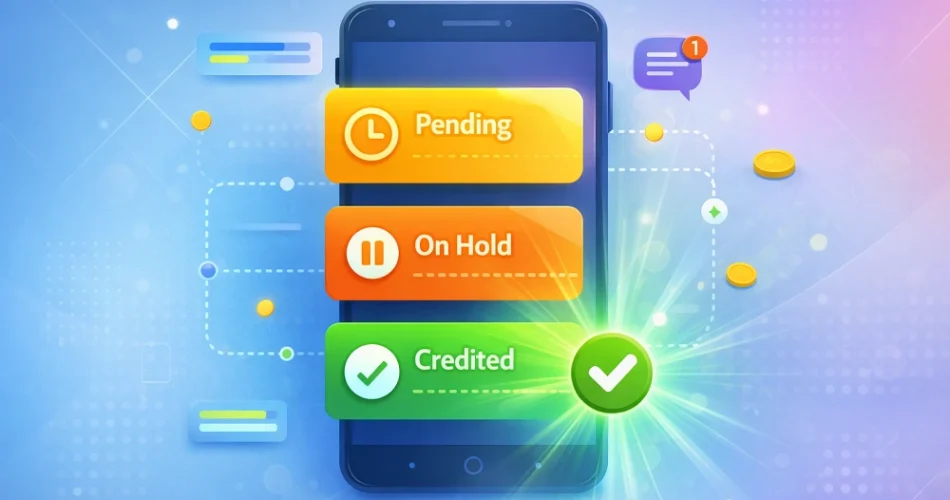
Pending = Recorded and waiting for confirmation/review — normal status while checks happen
On Hold = Flagged for manual review by either the offer partner or your rewards app (takes longer but isn’t necessarily bad)
Credited = Approved and added to your account balance
Not credited = No record or approval yet (could still be processing, or the tracking link didn’t capture your click)
First, Identify Your Status
Before you contact anyone, check two separate places:
- The offer partner page (the page inside your rewards app where you browse offers) → look for “My Rewards,” “Activity,” or “Status”
- Your main rewards app balance (where you see your total points and can request cashouts) → check your points total, transaction history, or any “Pending” section
Your offer can show different statuses in each location. Knowing what each place says tells you who can help and what’s actually happening.
Choose Your Situation
| What you see | Check here first | What it usually means | Best next step |
|---|---|---|---|
| I completed an offer but got zero points | Offer partner status page | The tracking link didn’t capture your click, or the review is still happening | Missing credits guide → |
| Offer shows Pending or On Hold | Offer partner status page | Normal delay while the partner checks you completed it correctly | Missing credits guide → |
| Offer shows Credited on the partner page, but my app balance is the same | Your rewards app transaction history | The platform is still processing the transfer or reviewing your account | Missing credits guide → |
| My cashout says Pending or On Hold | Your rewards app cashout page | The platform is reviewing your withdrawal (normal for first cashouts) | Cashout stuck guide → |
| How long will my first cashout take? | N/A | First withdrawals always take longer due to verification | First cashout timeline → |
| I’m worried I’ll get banned | Rewards app terms page | Following the safety rules prevents issues | Ban prevention guide → |
| Does this actually work in my country? | Rewards app offer list | Availability varies by region | Worth it by country → |
The 4-Step Credit Flow (Simple)
Here’s how points move from an offer to your account:
- You click an offer inside your rewards app (this creates a tracking link that proves you came from the app)
- You complete the requirements (install and open an app, reach a game level, make a purchase, etc.)
- The offer partner checks your completion (automated or manual review — this is where most waiting happens)
- Points appear in your rewards app (automatic transfer once the partner approves)
Key point: Most delays happen at step 3 (the partner’s check). Depending on the offer type and your country, this can take anywhere from a few minutes to several days.
The 3 Situations (A/B/C) and What To Do
Situation A: Not credited on the offer partner page AND not in your rewards app
- What likely happened: The tracking link broke, or you didn’t fully meet the offer requirements
- Who to contact: The offer partner’s support (they control the tracking and approval)
- What evidence to send: Offer name, screenshots showing you completed it, your device type, exactly what steps you took
- What NOT to do: Don’t uninstall and reinstall the app, and don’t try the same offer again (this creates duplicate tracking issues)
- How long: Often within a few days once you submit evidence, sometimes longer depending on the offer partner and type of check needed
Situation B: Pending/On Hold on the offer partner page, but missing in your rewards app
- What’s happening: Normal waiting period — the partner is still checking, and your app can’t add points until they approve
- Who to contact: Usually no one yet; the status text often says how long to expect
- If it stays Pending too long: Contact the offer partner support (not your rewards app — they can’t credit what hasn’t been released yet)
- What evidence to send: Screenshot showing Pending status, offer name, when you completed it
- What NOT to do: Don’t contact your rewards app support; they have no control until the partner approves
- How long: Often a few hours to a couple days; some offers with manual reviews take longer
Situation C: Credited on the offer partner page BUT missing in your rewards app
- What’s happening: The platform received the approval but is processing the transfer or doing an internal review (anti-fraud check, country verification, etc.)
- Who to contact: Your rewards app support (the main platform where you cash out)
- What evidence to send: Screenshot showing “Credited” on the partner page, your username in the rewards app, offer name
- What NOT to do: Don’t assume it’s lost — platforms often process credits in batches and review accounts before releasing points
- How long: Often within a day; sometimes longer for new accounts or if your account is under review
What Evidence To Collect (Copy/Paste Checklist)
When you contact support, include this info to get faster help:
Required:
- Offer name (exact title as it appeared)
- Date and time you finished the offer (approximate is fine)
- Screenshot of what you completed (level reached, purchase confirmation, etc.)
- Screenshot of the offer partner status page (showing Pending, Credited, or nothing)
- Your rewards app username or account ID
Optional (but helpful):
- Order ID or transaction ID (for purchase/subscription offers)
- Receipt or confirmation email (if you spent money)
- Device type and operating system (e.g., iPhone 14, iOS 17; Samsung Galaxy, Android 13)
- Browser name and version (if you did the offer on a website)
Copy/paste ticket template:
Subject: Offer not credited - [Offer Name]

Message:
- Offer name: [exact title]
- Completed on: [date and approximate time]
- My username: [your account name]
- Current status on offer partner page: [Pending / Credited / Not showing]
- Screenshots attached: [list what you're including]
- Additional info: [order ID, receipt, etc. if applicable]
Rules That Prevent Missing Credits (and Bans)
Follow these before starting any offer to avoid tracking problems and account issues:
- Use normal internet (no VPN, proxy, or private relay) → these hide your real location and break the tracking link; they also trigger fraud flags. If you already used one, turn it off and use normal internet from now on.
- One account per person/device → creating multiple accounts is the #1 reason people get permanently banned
- No unofficial app versions or emulators → offer partners block these
- Finish offers in one session without switching devices → changing devices mid-offer breaks the tracking link
- Don’t uninstall the rewards app to “reset” or “fix” tracking → this creates a new device ID and makes things worse
- Read the full offer instructions → skipping a requirement (like “make a purchase within 7 days”) means you won’t get credited
- Never do the same offer twice → partners flag this as attempted fraud
Breaking these rules doesn’t just lose you points — it can get your account banned permanently.
Country Differences (Quick Reality Check)
Rewards apps work globally, but your experience depends on where you live:
- Some countries get more offers and faster checks (usually US, UK, Canada, Australia, Germany, France — sometimes called “Tier-1” regions)
- Other regions see fewer high-paying offers and slower partner reviews (this includes India, Philippines, Brazil, South Africa, and many others)
- Offer availability is controlled by advertisers, not the rewards app — some companies only run campaigns in certain countries
- Review speed varies by region depending on the partner’s systems (can range from instant to a week or more)
- Payment options differ (PayPal isn’t available everywhere, but gift cards usually are)
This isn’t unfair or a scam — it’s how global advertising works. Check whether rewards apps are worth it in your country, and see which offer partners work best by region.
FAQ
Bottom line: Most “missing credits” are timing and review delays, not scams. Check the offer partner page first, follow the safety rules, and give the system time to process before contacting support. If you do need help, use the evidence checklist above to get faster answers.